Sign up in seconds
Email, phone OTP, or a company invite code — no lengthy onboarding.
Two sides of the same product: a fast mobile app for crews, and a live dashboard for managers.
Mobile app
Open the app, confirm the site, and clock in. The week and the salary slip are on the same phone.
Built for people who need to check in and get back to work.
Email, phone OTP, or a company invite code — no lengthy onboarding.
GPS location, geofence check, and optional selfie in a single tap.
Calendar and list views of every check-in, check-out, and status.
Submit sick, casual, or annual leave and track approval status.
Reminders to clock in/out and instant leave approval updates.
Check-ins queue locally and sync automatically once you're back online.
Your shifts sit on a color-coded week, with the site and the hours on each block.
Open the slip saved for you and download it after payroll is saved.
Today's attendance
Monday, 10 Aug · updated live
28
Present
3
Late
2
Absent
Priya S.
Field Ops
Adeel K.
Warehouse
Sana M.
Retail
James O.
Delivery
Admin dashboard
Present, late, absent — color-coded rows that update the moment someone clocks in.
Run attendance, schedules, leave, and salary slips from one place.
See who's in, late, or absent today — updated in real time.
Add, edit, or deactivate employees and assign departments.
Filter by date range, department, or employee.
Approve or reject requests and track leave balances.
Generate CSV/PDF summaries — daily, weekly, or monthly.
Set office or job-site locations and check-in radius.
Tick the people and the days, then set one start and one end for all of them.
Drag a single shift when one person needs different hours from the rest of the week.
Print each slip on the company letterhead. Amounts can be changed before the run is paid.
The same week can be written for a whole crew or adjusted one shift at a time. When the month is done, each person gets a slip they can open.
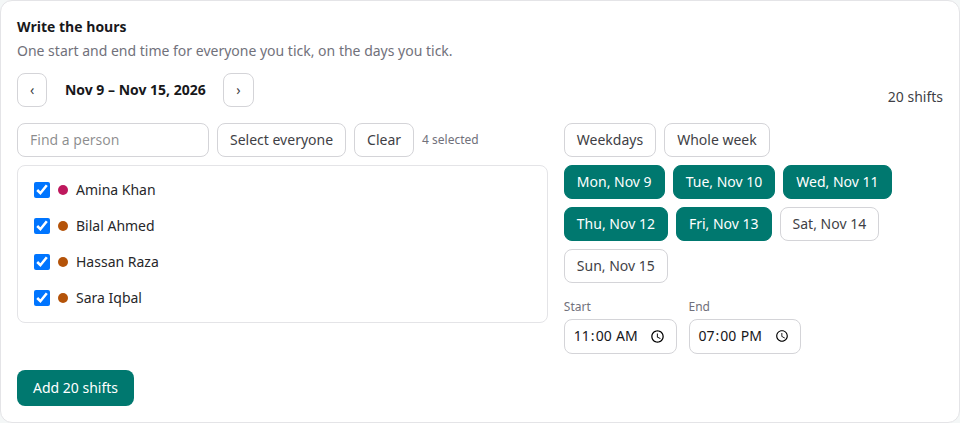
Tick the people and the days, set one start and one end, and add that week in one step.
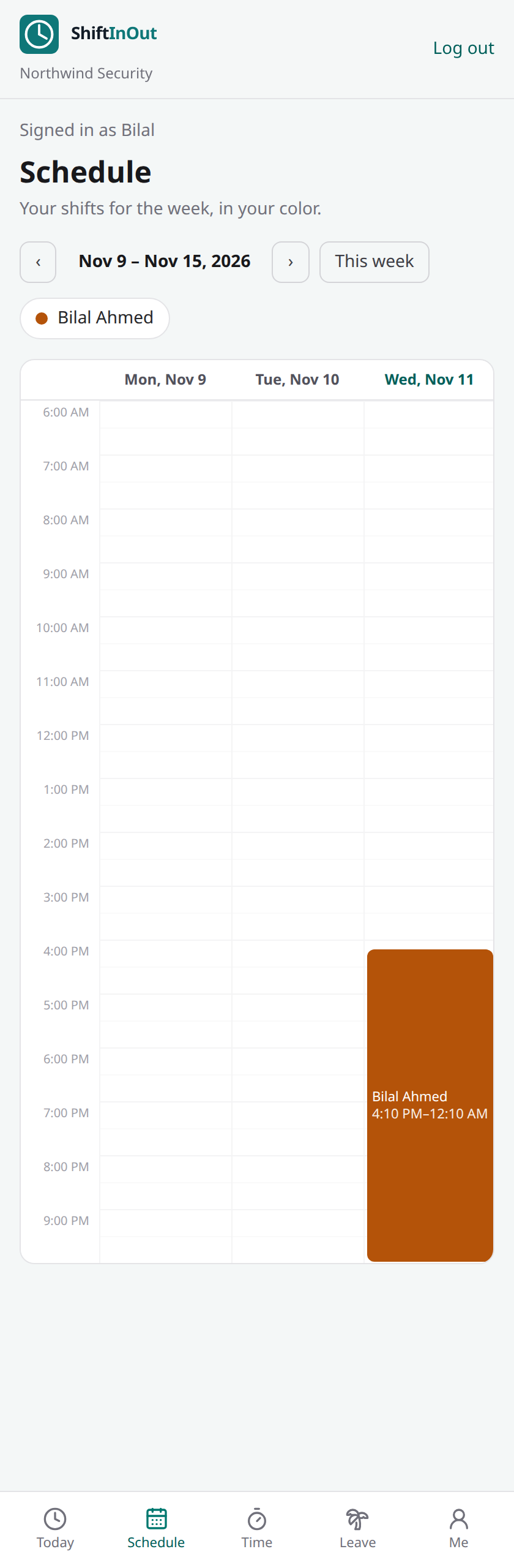
Each person has a color. Employees see their own shifts, and an admin can drag one block to change it.
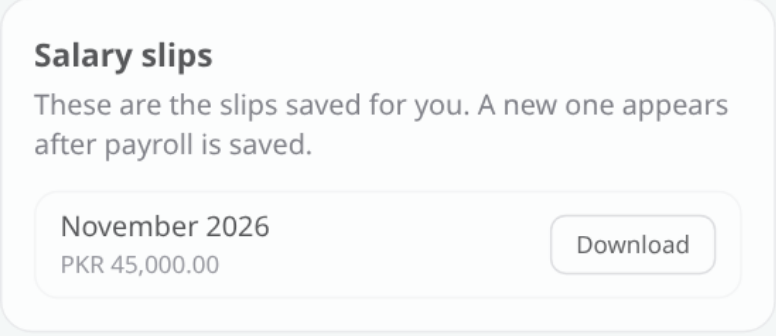
A payroll run fills the amounts on your letterhead. The saved slip shows up for that person to download.